
Table of Contents
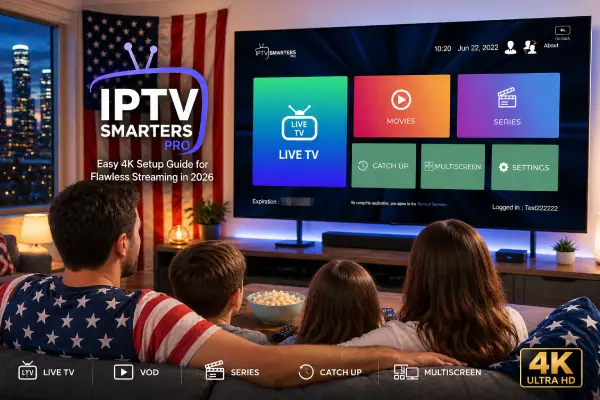
If you have ever sat down to watch your favorite show only to see the screen freeze, buffer, or drop in quality at the worst possible moment, you already know the frustration. For many US households, finding a reliable, easy-to-use IPTV player has been more of a headache than it should be. IPTV Smarters Pro changes that picture, and in 2026, it remains one of the most trusted apps for getting clean, stable 4K streaming across almost any device you own.
This guide walks you through everything — from installation to fixing common IPTV buffering issues — so you can spend less time troubleshooting and more time actually watching.
What Is IPTV Smarters Pro and Why It Stands Out
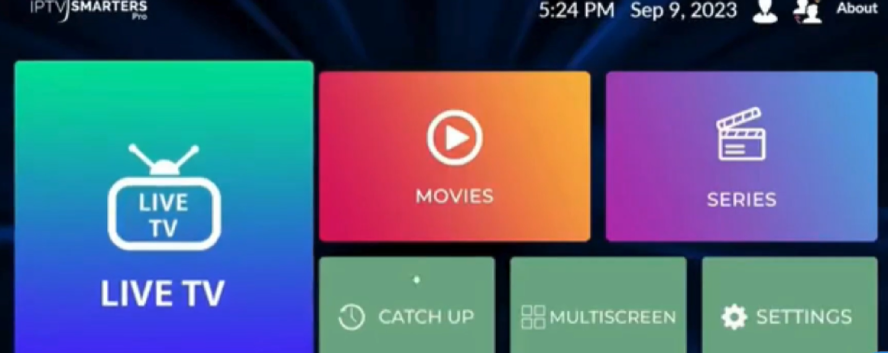
IPTV Smarters Pro is a media player app designed specifically for IPTV services. Unlike basic streaming apps built around a single platform, this one connects to your chosen IPTV subscription using either an M3U URL or Xtream Codes login. It then organizes your channels, live TV, and on-demand content into a clean, navigable interface.
What makes it popular in 2026 is its combination of flexibility and stability. It works with virtually any best IPTV subscription service provider, and it handles high-resolution streams — including 4K — without demanding a tech degree to set up.
Who Is It Built For
It works well for anyone who wants a better TV experience without paying for multiple cable or satellite packages. Whether you are on a Firestick in the living room, an Android box, an iPhone, or a Windows PC, the same app covers all your screens.
What You Need Before You Start
Getting the setup right from the beginning saves time later. Here is what to have ready.
A compatible device: IPTV Smarters Pro runs on Android, iOS, Amazon Firestick, Android TV boxes, and Windows PCs. Most people in the US already own at least one of these.
A solid internet connection: For standard HD streams, 10 Mbps is typically enough. For true 4K content, aim for at least 25 Mbps dedicated to streaming. If others in your home are gaming or video calling at the same time, a faster plan helps considerably.
The table below gives you a quick reference for the minimum speed required depending on the stream quality you want.
| Stream Quality | Minimum Speed Required | Recommended Speed |
|---|---|---|
| SD (480p) | 5 Mbps | 8 Mbps |
| HD (720p) | 8 Mbps | 12 Mbps |
| Full HD (1080p) | 15 Mbps | 20 Mbps |
| 4K (2160p) | 25 Mbps | 35 Mbps or more |
A quality IPTV subscription: This is where your content comes from. When choosing among the best IPTV subscriptions available in 2026, look for providers who offer a free trial period, good server uptime, and reliable customer support. Afree trial lets you test channel quality, buffering behavior, and stream stability before committing.
Step-by-Step Installation
On Android or Amazon Firestick
- Open your device’s app store or, on Firestick, go to the Search function.
- Search for « IPTV Smarters Pro. »
- Select and install the app. On Firestick, you may need to enable apps from unknown sources in your device settings first.
- Open the app once installed.
On iPhone or iPad
- Open the App Store.
- Search for « IPTV Smarters Pro. »
- Download and install.
- Launch the app.
On Windows PC
- Visit the Microsoft Store or the official app page.
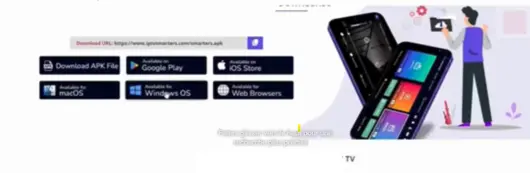
- Download the Windows version.
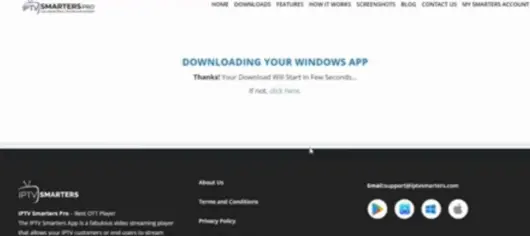
- Install and open it.
How to Add Your IPTV Subscription
Once the app is open, you will be prompted to add a playlist or service. There are three main methods.
Using an M3U URL: Your IPTV provider will give you a link that ends in .m3u or .m3u8. In the app, select « Add User, » then choose the M3U URL option and paste your link. Give the playlist a name and save.
Using Xtream Codes API: Some providers offer a username, password, and server URL. Select this option in the app, enter those three pieces of information, and the app handles the rest.
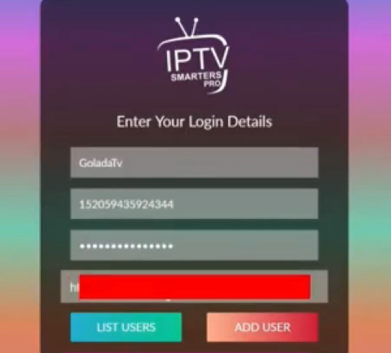
Using an uploaded playlist file: If your provider gave you a downloadable file, you can load it directly from your device storage through the app’s import option.
After connecting, your channels and content library will load within a minute or two.
Getting 4K Right: Key Settings to Adjust
The app works out of the box, but a few adjustments make a noticeable difference for 4K streams.
Video Player Settings: Inside the app settings, switch the default player to « ExoPlayer » if you are on Android. It handles higher-resolution streams with better hardware support.
Hardware Decoding: Enable hardware decoding in the player settings. This offloads video processing from your CPU to your device’s built-in decoder, which reduces lag and improves smoothness on 4K content.
Buffer Size: Some versions of the app allow you to increase the buffer size slightly. A small increase (from the default to around 5000ms) can smooth out minor network fluctuations.
How to Fix IPTV Buffering
IPTV buffering is the most common complaint users have, and most of the time it comes down to a few fixable causes.
Check your internet speed first. Run a speed test while the stream is struggling. If you are below 25 Mbps for a 4K stream, the connection is the issue, not the app.
Use a wired connection where possible. A direct Ethernet connection to your router is significantly more stable than Wi-Fi, especially at distance.
Restart your router and device. Sounds simple, but network hiccups accumulate over hours of use. A fresh connection clears most of them.
Contact your IPTV provider. If buffering happens consistently at certain times of day, the issue may be on the provider’s server side. A good provider will acknowledge this and have it resolved quickly. This is another reason to start with a provider that offers a free trial — you can identify these patterns before paying.
People Also Ask
Can I use IPTV Smarters Pro for free?
The app itself is free to download. You do need an active IPTV subscription to access content, but many providers — including premium ones — offer a free trial so you can test quality before subscribing.
What is the best IPTV subscription in 2026?
What is the best IPTV subscription in 2026? The best IPTV subscription service provider in 2026 will offer high server uptime, a wide channel selection, responsive support, and ideally a no-commitment free trial period. Avoid any service that cannot tell you their uptime record or refuses to offer a trial.
Why does my IPTV keep buffering?
Most IPTV buffering traces back to slow internet, Wi-Fi instability, or an overloaded provider server. Work through those three causes in order and most issues resolve within minutes.
Is 4K streaming possible on IPTV Smarters Pro?
Yes, provided your subscription includes 4K streams and your internet connection supports it. With hardware decoding enabled and a stable 25 Mbps or faster connection, 4K playback through the app is smooth and reliable.
Final Thoughts
Setting up IPTV Smarters Pro does not need to be complicated. With the right subscription and a few minutes of setup, you get a clean, organized streaming experience across all your devices. The app handles the technical side, and a quality provider handles the content side.
If you are not sure where to start, take advantage of a free trial from a reliable IPTV service. It costs nothing to test, and it gives you a real feel for the quality before you decide. Once everything is running, 4K streaming in 2026 is genuinely as good as it has ever been.