
Table of Contents
If you have ever settled in for a big game only to hit a blackout screen, a cable package that does not include the right channel, or a streaming app that freezes right at tip-off, you already know the frustration. Basketball fans across the US deal with this every season. The good news is that more and more people are finding a better way, and it does not involve paying for an overpriced cable bundle.
Watching NBA live with IPTV has become one of the most reliable and affordable options available today. Whether you follow one team all season or you want access to every playoff matchup, IPTV gives you a level of coverage that traditional TV simply cannot match at the same price point. This guide walks you through exactly what you need, what to expect, and how to get started, including how to try it for free before you commit to anything.
What You Need to Watch the NBA Live Without Interruptions
Before anything else, it helps to know what a smooth viewing experience actually depends on. Three things matter most.
A Stable Internet Connection
IPTV streams video over your internet connection, so your speed and stability directly affect picture quality and reliability. For standard HD streams, a connection of at least 10 Mbps is sufficient. For 4K content, aim for 25 Mbps or higher. More important than raw speed, though, is consistency. A connection that drops or fluctuates is more likely to cause buffering than a slower but steady one.
If you are watching on a smart TV or a streaming stick, connecting via ethernet cable rather than Wi-Fi can make a noticeable difference, especially during high-traffic game nights.
A Compatible Device
IPTV works across a wide range of devices. You do not need to buy anything new in most cases. Smartphones, tablets, smart TVs, Amazon Firestick, Android TV boxes, and laptops all work well. The device just needs to support the app or player your IPTV service uses.
A Reliable IPTV Subscription
This is the most important piece. The quality of your IPTV subscription determines the channel selection, stream stability, and overall experience. A good service provides dedicated sports channels, consistent uptime during live events, and customer support when something goes wrong.
Our service offers a free trial so you can verify the quality yourself before making any commitment.
What Is an IPTV Subscription and How Does It Work
IPTV stands for Internet Protocol Television. Instead of receiving channels through a cable wire or a satellite dish, the content is delivered through your internet connection in real time. Think of it like how you stream video on demand, except IPTV also includes live channels, just like the ones you would find on a standard TV package.
When you subscribe, you get access to a channel list that can include hundreds or even thousands of channels from around the world. Sports channels are typically a strong part of any quality IPTV package, often covering not just NBA but also NFL, MLB, NHL, and international sports.
The main difference from cable is that you are not locked into a fixed package built by a provider. You get more content, usually at a lower monthly cost, and you watch it on the device of your choice.
IPTV has grown significantly among US sports fans, particularly those aged 35 and older who are comfortable cutting the cord but still want live sports without the gaps that come with on-demand platforms.
All NBA and Sports Channels Included in a Good IPTV Subscription
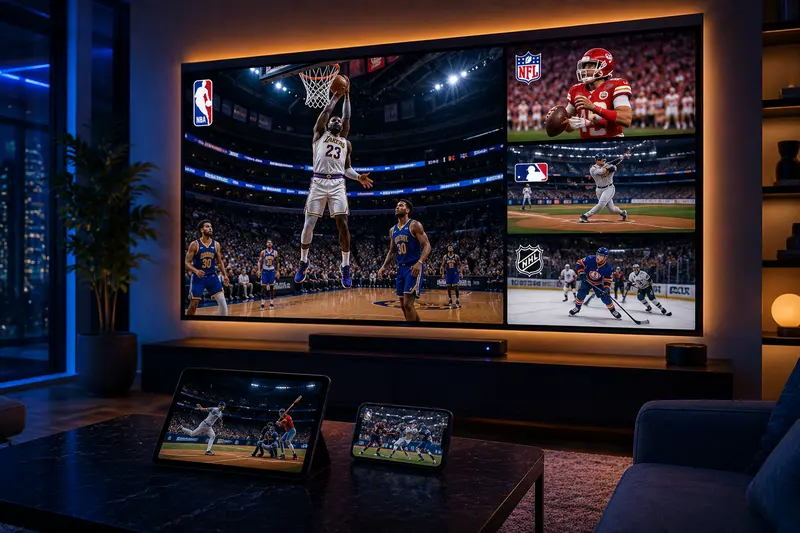
One of the biggest advantages of watching NBA live with IPTV is the breadth of channels available. A quality IPTV subscription does not just give you one or two networks. It typically includes the full range of channels that broadcast NBA games.
This means national sports networks that carry primetime matchups as well as regional sports networks that cover your local team’s home games. Regional sports coverage has historically been one of the hardest things to access for cord-cutters, and IPTV addresses that gap directly.
Beyond basketball, a good IPTV sports package also covers:
- NFL regular season and playoff games across multiple networks
- MLB games throughout the full 162-game season
- NHL games including the playoffs and Stanley Cup Finals
- College basketball and football on major sports networks
- International sports including soccer, tennis, and combat sports
Stream quality is another area where IPTV has improved considerably. Most sports channels are available in HD, and an increasing number of events are available in 4K for subscribers with fast enough connections and compatible devices.
Multi-device support is also standard in most subscriptions. You can watch one game on the living room TV while another household member follows a different game on a tablet without any conflict.
Games and Competitions Available All Season Long
A common concern among fans who are new to IPTV is whether they will actually get access to the full NBA calendar, or just selected games. With a well-rounded IPTV subscription, coverage spans the entire season.
Regular Season Games
The NBA regular season runs from October through April, with 82 games per team. Through IPTV, you have access to all nationally broadcast games across every major sports network, as well as regional coverage of your preferred team’s local broadcasts.
NBA Playoffs
The playoffs are where things get serious, and IPTV delivers. Every first-round series, conference semifinal, conference final, and Finals game is accessible through the sports channels included in the package. No blackout screens, no upgrading to a premium add-on.
NBA Finals
The Finals are the most-watched basketball event of the year. IPTV ensures you can follow every game live, in HD, without having to scramble for a cable login or a friend’s streaming password.
Special Events Throughout the Year
The NBA calendar includes more than just regular games. IPTV covers the full range of seasonal events, including:
- NBA All-Star Weekend (Friday through Sunday events)
- In-Season Tournament games and the championship
- NBA Draft night coverage
- Preseason games for fans who want to track roster changes before opening night
For fans who follow the sport year-round rather than just during playoff time, this kind of consistent access makes a significant difference.
How to Watch NBA Live with IPTV: Step-by-Step Setup
Getting set up is straightforward. Most users are watching live games within 15 to 20 minutes of signing up.
Step 1: Choose a Reliable IPTV Subscription
Start by selecting a service that specifically includes comprehensive sports coverage. Check that the package includes both national and regional NBA broadcast channels and confirm that stream quality meets your standards. Our service offers a free trial period so you can verify channel availability and stream quality before paying.
Step 2: Install the App on Your Device
Once you have your subscription credentials, download the IPTV app compatible with your device. Most quality services support a dedicated app for Android, iOS, Firestick, and smart TVs, as well as compatibility with third-party IPTV players for more advanced users.
Installation typically takes a few minutes. If you are using a Firestick, you can sideload the app through the browser or install it directly from the Amazon App Store depending on your provider.
Step 3: Log In and Navigate to Sports Channels
After installation, log in using the credentials provided by your IPTV service. Most apps organize channels by category. Look for a Sports or NBA section. Some services also include an Electronic Program Guide (EPG) that shows you what is currently airing and what is coming up, similar to a traditional TV guide.
Step 4: Watch Live NBA Games
Select the channel broadcasting the game you want to watch. The stream should load within a few seconds. If you experience any initial buffering, check your internet connection first, as this resolves the issue in most cases.
Compatible Devices for Watching NBA Live with IPTV
Part of what makes IPTV appealing is that it fits into your existing setup. You are not required to buy new hardware.
Smart TVs are the most popular choice for home viewing. Most modern Samsung, LG, and Sony TVs support IPTV apps either natively or through a connected device.
Amazon Firestick and Fire TV are among the most widely used options. They are affordable, easy to set up, and widely compatible with IPTV services.
Android TV boxes offer more flexibility for users who want to customize their setup. They run a full Android OS, which means nearly all IPTV apps are supported.
Smartphones and tablets (both iOS and Android) work well for watching on the go. If you travel for work and do not want to miss a playoff game from a hotel room, mobile access is a genuine convenience.
Laptops and desktop computers are also supported. Most IPTV services offer a web player or a Windows/Mac application alongside the mobile options.
Common Issues and How to Fix Them
Even with a good service, occasional technical issues can happen. Here is how to handle the most common ones.
Buffering During Live Games
Buffering is almost always related to internet speed or network congestion. Before concluding that the IPTV service is the problem, try the following steps:
- Restart your router and device
- Connect via ethernet instead of Wi-Fi if possible
- Close other apps or devices using bandwidth during the game
- Switch to a lower resolution stream temporarily if the option is available
Stream Freezing at Tip-Off
High-traffic moments like the start of a major game can sometimes cause brief freezes. This typically resolves within a few seconds. If it persists, close and reopen the stream. Most IPTV players reconnect automatically.
NBA Channels Not Showing in the List
If a channel appears missing, the first step is to refresh your channel list within the app settings. Channel lists update periodically, and a manual refresh pulls in any recent additions. If the issue continues, contact your provider’s support team directly with the specific channel name.
Try Before You Commit: Free Trial IPTV for NBA Fans
One of the most reasonable things you can do before subscribing to any IPTV service is to test it during a real event. A free trial gives you that opportunity.
During a trial period, you should check:
- Whether the NBA channels you specifically want are included
- Stream quality during a live game, not just on-demand content
- How the app performs on your preferred device
- Load times and how quickly streams start after selecting a channel
- Whether the EPG (program guide) is accurate and up to date
Our service offers a free trial for new users. You can verify the full channel list, test stream quality on your device, and get a real sense of the experience before deciding. There is no obligation, and no credit card is required to start.
This is the most honest way to evaluate any IPTV service, and we encourage you to use it.
Frequently Asked Questions
Can I watch every NBA game with an IPTV subscription?
You can access all nationally broadcast games through the included sports networks. Regional game availability depends on your provider’s channel list. A quality IPTV subscription includes regional sports networks, which significantly expands coverage beyond what standard streaming services offer.
Does IPTV cover the NBA Playoffs and Finals?
Yes. All playoff rounds and the NBA Finals are broadcast on national sports networks that are included in a full IPTV sports package. There are no special add-ons required.
What internet speed do I need to watch NBA live with IPTV?
A minimum of 10 Mbps is sufficient for HD streams. For 4K quality, 25 Mbps or higher is recommended. A stable connection matters more than peak speed, so minimizing network congestion during games helps.
Can I watch NBA live with IPTV on my phone or tablet?
Yes. Most IPTV services offer dedicated apps for both iOS and Android. The experience is reliable for live sports, though a larger screen naturally gives a better viewing experience for games.
Is watching NBA live with IPTV legal in the US?
The legality of IPTV depends on the provider. Services that have licensed the content they distribute are operating legally. When choosing a provider, look for one that is transparent about its operations and offers legitimate customer support. Avoid services that are suspiciously cheap or that offer unlicensed content without clear terms.
Conclusion
Watching NBA live with IPTV is no longer a workaround for tech-savvy users. It has become a practical, mainstream option for anyone who wants reliable access to basketball without the cost and limitations of a cable package.
The setup is simple, the device compatibility is broad, and the channel coverage, when you choose the right provider, matches or exceeds what you would get through traditional TV. From opening night in October through the Finals in June, an IPTV subscription keeps you connected to the full season.
If you are ready to see what it looks like in practice, start with our free trial. No commitment, no credit card required. Just pick a game, hit play, and see for yourself.