
Table of Contents
If you have been paying a cable bill north of $120 a month and still missing games because of blackouts, you are not alone. Millions of Americans have quietly started looking for a better way to watch, and many of them have already found it. An IPTV subscription delivers live TV, sports, and on-demand content over your internet connection, at a fraction of what the big cable companies charge.
With the FIFA World Cup 2026 coming to North American stadiums this summer, the timing has never been more relevant. Matches will be played across the US, Canada, and Mexico, and if your current setup is not ready, you may end up watching a pixelated stream on a laptop when you could be watching in crystal-clear 4K on your living room screen.
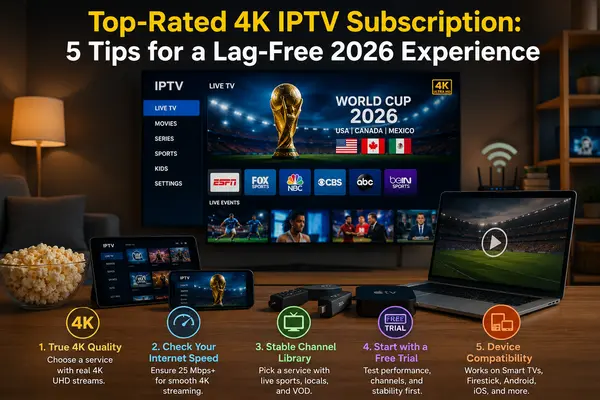
This guide covers five practical tips to help you get the most out of your IPTV subscription service, whether you are just getting started or thinking about switching to something better. And yes, we offer a free trial so you can test everything before spending a cent.
What Is an IPTV Subscription and Why Are Americans Switching
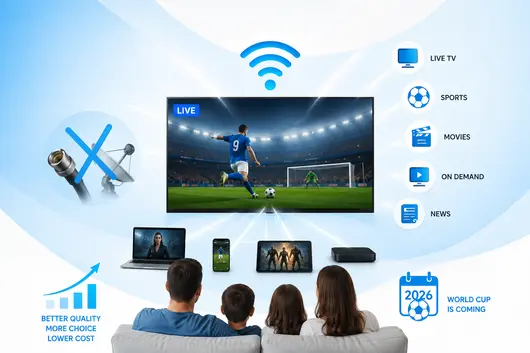
IPTV stands for Internet Protocol Television. Instead of receiving channels through a coaxial cable plugged into your wall or a satellite dish on your roof, your TV content is delivered through your internet connection, the same pipe that handles your email and video calls.
Think of it this way. Streaming a movie on demand is something most people already understand. IPTV takes that same idea and applies it to live television: news, sports, local channels, international content, all streamed in real time over the internet.
The reasons Americans are switching are not complicated. Cable and satellite contracts are long, the bills keep climbing, and the channel packages are bloated with content no one asked for. An IPTV subscription service gives you more control. You pick your package, you stream on your schedule, and you are not locked into a two-year agreement.
2026 adds one more reason to make the move. As the World Cup arrives in cities like Los Angeles, New York, Dallas, and Miami, viewers across the country will want reliable, high-quality streams of every match. A good IPTV subscription handles that without breaking a sweat.
Tip 1: Choose a Service With True 4K Quality, Not Just « HD »
What to Look for in a 4K Stream
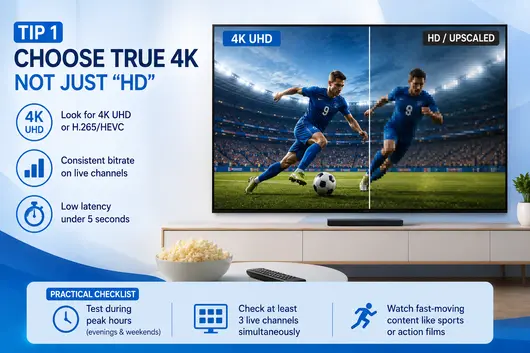
Not every service that advertises HD or 4K actually delivers it consistently. Some providers claim high resolution but stream in compressed formats that look noticeably worse on a large screen. When you are evaluating an IPTV subscription service, look for these specifics:
- Streams labeled as 4K UHD or H.265/HEVC encoded (more efficient, better quality)
- Consistent bitrate on live channels, not just VOD content
- Low latency on live sports (under 5 seconds is a good benchmark)
Why Resolution Labels Can Be Misleading
A channel listed as « 4K » in an app menu does not guarantee the source feed is actually 4K. Some providers upscale 1080p content and label it as 4K. During a free trial, watch a live sports channel at full screen on your largest TV. If edges look soft, motion looks choppy, or fast-moving content blurs, the stream quality is not what was advertised.
Practical checklist before committing to a buy iptv subscription decision:
- Test during peak hours (evenings and weekends)
- Check at least three live channels simultaneously
- Pay attention to fast-moving content like sports or action films
Tip 2: Check Your Internet Speed Before You Buy an IPTV Subscription
Minimum Speed Requirements for 4K
Your internet connection is the foundation of your streaming experience. No IPTV subscription service, regardless of quality, can compensate for a slow or unstable connection. Here is a practical breakdown of what you need:
| Stream Quality | Minimum Speed Required |
|---|---|
| Standard Definition (SD) | 5 Mbps |
| High Definition (HD 1080p) | 15 Mbps |
| 4K Ultra HD | 25 Mbps (dedicated) |
| 4K on multiple devices | 50 Mbps or more |
These are per-stream numbers. If three people in your household are watching different things at the same time, multiply accordingly.
How to Test Your Connection
Before signing up for any service, run a speed test at fast.com or speedtest.net. Do this at the time of day you usually watch TV, not at 10 in the morning when network traffic is low. Evening hours and weekends reflect realistic conditions.
Also check your ping (latency). For live TV, you want under 30ms if possible. High ping causes audio/video sync issues and freeze frames on live content, which is the last thing you want during a World Cup penalty shootout.
US Context: Fiber vs Cable Internet
If you are in a city with fiber availability through a local provider, that is your best option for IPTV. Fiber connections are symmetrical and stable. Standard cable internet works well too, but can fluctuate during peak neighborhood usage. Rural areas may need to consider a wired ethernet connection instead of WiFi to compensate for slower overall speeds.
Tip 3: Pick an IPTV Subscription Service With a Large, Stable Channel Library
What a Reliable Channel Lineup Looks Like
The number of channels advertised by a provider is not the most important metric. Stability is. A service offering 10,000 channels where 30% of them are broken or buffering is worth less than one offering 4,000 channels that all work reliably.
When evaluating a service, look for:
- Confirmed US local channels (ABC, NBC, CBS, FOX) for your region
- Major sports networks (the ones airing NFL, NBA, MLB, and World Cup coverage)
- A working electronic program guide (EPG) so you can see what is on
- VOD content that is regularly updated, not a static library from three years ago
Live Sports, Local Channels, and VOD Depth
For American viewers, the three categories that matter most are live sports, local news, and on-demand content. A quality IPTV subscription service will cover all three. Local channels are particularly important because many sports events and emergency broadcasts happen there first.
Ask specific questions before committing. Does the service carry your regional sports network? Can you watch primetime local news? Is there a catch-up or replay feature for games you missed?
How to Spot Services With Inflated or Fake Channel Counts
Some providers list channels that are either duplicate streams, non-functional, or pulled from free public sources. A quick way to check: during a free trial, scroll through the channel list and spot-check 20 to 30 channels at random, including some less popular ones. If a significant portion fail to load or show an error, that is a warning sign.
Tip 4: Always Start With a Free Trial Before You Buy
What to Test During a Free Trial Period
A free trial is not just a goodwill gesture from a provider. It is your best diagnostic tool. During the trial period, treat it like a real subscription and test it the way you actually watch TV.
Here is a structured approach:
- Stream a live sports event during evening hours
- Switch between channels quickly to test channel-change speed
- Load a VOD title and skip around in the timeline
- Check local channels for your city
- Watch for at least 30 continuous minutes on your main device
Red Flags to Watch During the Trial
Some things to be cautious about:
- Frequent buffering that pauses playback every few minutes
- Channels that fail to load or show a black screen
- Audio that goes out of sync with video
- An app that crashes or freezes when switching content
- A channel guide that is incomplete or hours behind schedule
Our Free Trial Offer
We offer a free trial so you can put our IPTV subscription service through its paces before making any decision. No pressure, no automatic billing. You test, you decide. If it works for you, great. If not, you have lost nothing. The trial gives you access to our full channel lineup, including 4K sports and US local channels, so you are testing the real product.
Tip 5: Make Sure Your Device and App Are Compatible
Supported Devices Overview
One of the underrated advantages of a good IPTV subscription is how flexible it is across devices. Most quality services support:
- Smart TVs (Samsung, LG, Sony, TCL)
- Amazon Fire TV Stick and Fire TV Cube
- Android TV boxes and Android phones
- Apple TV and iPhone/iPad (via compatible apps)
- Windows and Mac computers through a player app
- Roku (varies by provider)
Before you buy an IPTV subscription, confirm that your primary device is supported and that the app has decent user ratings or reviews. A poor app experience can ruin an otherwise solid service.
Setup Tips for Smart TVs, Firestick, and Android Boxes
Smart TV: Most providers offer an installable app through the TV’s app store, or you can use a built-in browser to access the service. Some require sideloading, which is straightforward on Android-based TVs.
Amazon Firestick: The Firestick is one of the most popular devices for IPTV in the US. You can install apps directly from the Amazon store or enable installation from unknown sources in the settings to install provider apps manually.
Android TV Box: These offer the most flexibility. Most IPTV apps install easily from the Google Play Store or via APK file. If you plan to watch in 4K, make sure the box supports 4K output and has at least 2GB of RAM.
A few universal tips regardless of device:
- Use a wired ethernet connection instead of WiFi when possible
- Keep your app and device firmware updated
- Clear the app cache periodically if you notice slowdowns
How to Watch the World Cup 2026 Without Cable Using IPTV
The 2026 FIFA World Cup is a landmark event for American sports fans. With matches happening in US cities for the first time since 1994, there is genuine excitement across the country. But traditional cable packages have become increasingly expensive, and not every provider carries every match on an accessible channel.
An IPTV subscription service solves this cleanly. A quality provider will carry the channels broadcasting World Cup matches live, in HD or 4K, without requiring a cable contract or a $90/month sports add-on.
Here is what to look for specifically for World Cup viewing:
Before the tournament begins:
- Confirm the service carries the networks with World Cup broadcast rights in the US
- Test a live sports stream during a comparable event (an international soccer match or a major league game)
- Check that your connection handles 4K without buffering during peak hours
During the tournament:
- Use a wired connection if possible during knockout stage matches
- Set a channel reminder through the app’s EPG so you do not miss kickoff
- If you encounter buffering, switch to the 1080p stream version of the same channel as a backup
Watching the World Cup without cable is not a workaround anymore. For millions of American households, it has become the standard approach.
Frequently Asked Questions
Is an IPTV subscription legal in the US?
Is an IPTV subscription legal in the US?
IPTV technology itself is completely legal. It is simply a method of delivering television content over the internet. The legality depends on whether the service has the proper licensing for the content it distributes. Licensed IPTV services operate within the law. When choosing a provider, look for one that is transparent about its operations and does not offer suspiciously low prices that suggest unlicensed content.
How much does a good IPTV subscription service cost?
Pricing varies by provider and package, but quality services typically range from $10 to $30 per month for a full channel lineup. That compares favorably to the average US cable bill, which has climbed well above $100 per month in most markets. Many services offer discounts for quarterly or annual plans.
Can I watch local channels with IPTV?
Yes, most reputable IPTV subscription services include local US channels. Coverage varies by region, so it is worth confirming that your specific city’s local affiliates are included before committing. During a free trial, check your local ABC, NBC, CBS, and FOX feeds specifically.
Does IPTV work without a Smart TV?
Absolutely. IPTV works on any device with an internet connection and a compatible app. That includes older TVs paired with a streaming stick or Android box, laptops, tablets, and phones. A Smart TV makes the experience more seamless, but it is not a requirement.
What is the best device to use with an IPTV subscription?
For living room viewing, the Amazon Fire TV Stick 4K Max and Android TV boxes are widely considered the most practical options in the US. They are affordable, easy to set up, and support most IPTV apps. If you already have a capable Smart TV, using its native app is equally fine and saves you from buying an additional device.
Making the Right Choice in 2026
Choosing an IPTV subscription is not complicated once you know what to look for. Stable 4K streams, a reliable channel library, broad device support, and a provider willing to let you test for free before buying. Those four elements cover most of what separates a good experience from a frustrating one.
With the World Cup arriving in American cities this summer, there has never been a better time to upgrade how you watch live television. The combination of a solid internet connection and a quality IPTV subscription service will get you there without a long-term contract or an inflated monthly bill.
Start with a free trial, run through the checklist in this guide, and make your decision based on what you actually experience rather than what a provider promises on a landing page. That approach has worked well for the millions of Americans who have already made the switch.